
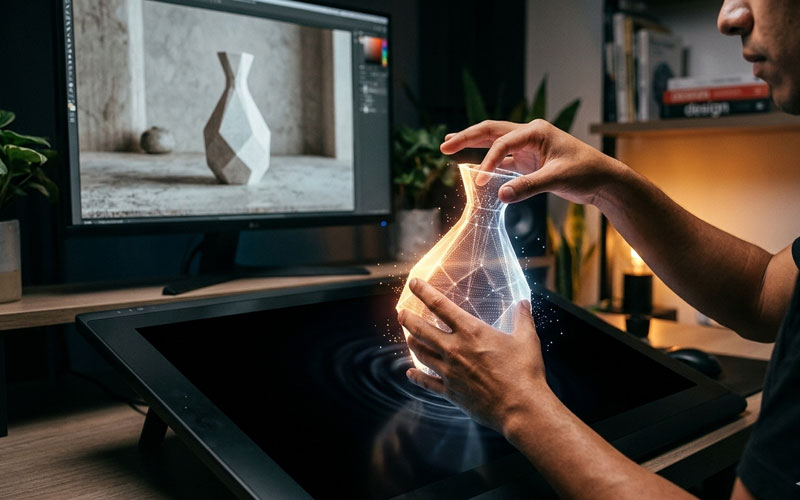
The Map Is No Longer the Territory
For decades, working in digital editing — whether photography, graphic design, or video — meant one thing: manipulating pixels.
Software saw the world as a flat bitmap map. If you wanted to move a mountain in a photo, you weren’t moving a mountain. You were reassigning thousands of tiny colored squares and hoping the software could fill the resulting gap with something believable.
This “pixel manipulation” paradigm demanded enormous technical skill: mastering layer masks, precision selections, and manual cloning.
But today we are living through an invisible revolution.

Software has stopped seeing pixels — and started understanding objects.
This shift is more than just a new feature. It marks the birth of Object-Aware Editing, and it’s redefining who can create and what is possible.
What Is Object-Aware Editing?
The traditional paradigm was based on geometry and color.
The new paradigm is based on semantics and context.
When a modern editor analyzes an image, it no longer sees a grid of pixels. Thanks to advanced AI engines, software now understands the scene.
It identifies:
- Person
- Car
- Shadow
- Background
- Foreground
Each element is recognized as a separate entity with depth and meaning.
The difference is dramatic.
Pixel Manipulation
“Select these blue pixels and move them 10 pixels to the right.”
Object Manipulation
“Move this car to the right and automatically reconstruct the background behind it while preserving lighting and perspective.”
In the first case, the user performs the technical work.
In the second case, the user gives the artistic direction — and the software executes the technique.
The Technologies Powering This Revolution
This shift didn’t happen overnight. It’s the result of several technologies maturing together.
A. High-Precision Semantic Segmentation
This is the ability of software to instantly detect and outline individual objects.
Where designers once spent 20 minutes using the Pen Tool to cut out complex hair, modern AI segmentation can accomplish it in seconds.
The software already understands the difference between subject and background before you even click.
B. Contextual In-Painting and Out-Painting (Generative Fill)
When you move or remove an object, you create a gap.
This is where generative filling comes in.
Instead of copying nearby pixels, AI analyzes:
- texture
- lighting
- perspective
- scene context
It then generates brand-new pixels that never existed, yet fit perfectly into the scene.
If you remove a tree, the software understands that there should logically be more sky or building behind it — not an empty void.
Tools like Generative Fill inside Adobe Photoshop are a clear example of how this technology has moved from research labs into everyday creative workflows.
C. Lighting and Depth Understanding
Modern editing software is beginning to build internal depth maps of 2D images.
That means if you move an object further into the background, the software can automatically apply subtle atmospheric haze or adjust lens blur to preserve optical realism.
It understands that objects cast shadows — and that when the object moves, the shadow should move or adapt to the new lighting environment.
Workflow Impact: From Operator to Curator
The biggest benefit of this shift is not just speed.
It’s creative democratization.
Goodbye Technical Friction
Many creatives have powerful ideas but never execute them because mastering advanced editing tools can take thousands of hours.
Object-aware editing removes that barrier.
The question is no longer:
“How do I select this?”
The question becomes:
“Where should this go?”
Pain-Free Iteration
Under the old pixel paradigm, a major composition change — such as moving the main subject — often meant starting over.
Now it’s often as simple as drag and reposition.
Art directors and designers can explore dozens of compositions in the time it once took to create one.
Experimentation becomes fast, safe, and fluid.
Non-Destructive Composition by Design
Because the workflow treats elements as objects rather than fixed pixels, edits become inherently more flexible.
You can change the position, scale, or even the existence of an object at any time without degrading the original image quality.
Platforms like Adobe Firefly are accelerating this shift by integrating generative AI directly into professional design workflows.
👉 Explore Adobe’s AI-powered creative tools and see how object-aware editing works in practice.
The Future Is Semantic — and Partly Vector
Object-based editing is pushing image manipulation toward a hybrid model between raster (pixels) and vector logic.
We’re beginning to move objects in photographs with the same ease we move shapes in illustration software like Adobe Illustrator.
The 2D–3D Convergence
The next logical step is true volumetric understanding.
Soon, software will not only recognize a “car” — it will understand its 3D geometry.
This would allow editors to:
- subtly rotate objects inside a 2D photo
- adjust light direction realistically
- simulate how surfaces react to different lighting conditions
The boundary between photography, design, and 3D rendering is beginning to dissolve.
Conclusion: The Return of Creative Intent
We are leaving behind an era where a creative professional’s value was measured by their ability to master complex software tools.
The Pixels-to-Objects revolution shifts the focus back where it belongs:
Ideas.
Vision.
Creative intent.
Technology has matured to the point of becoming invisible.
We are no longer manipulating cold data.
We are manipulating concepts.
For modern creators, this isn’t just an efficiency upgrade — it’s a liberation.
Pixels are no longer limitations.
They are simply the raw material that intelligent software organizes under human direction to bring ideas to life.
👉 Start experimenting with AI-powered editing tools from Adobe and experience how object-aware workflows can transform the way you create.